

The flight training app that tracks every dollar.
Projects your real cost to the certificate, tracks every dollar against it, and follows every FAR 61 hour to your checkride. All from your iPhone.
 Scan to download on your iPhone
- Built by a CFI
- Every FAR 61 and 141 requirement
- iPhone and iPad
Priced at the school you pick.
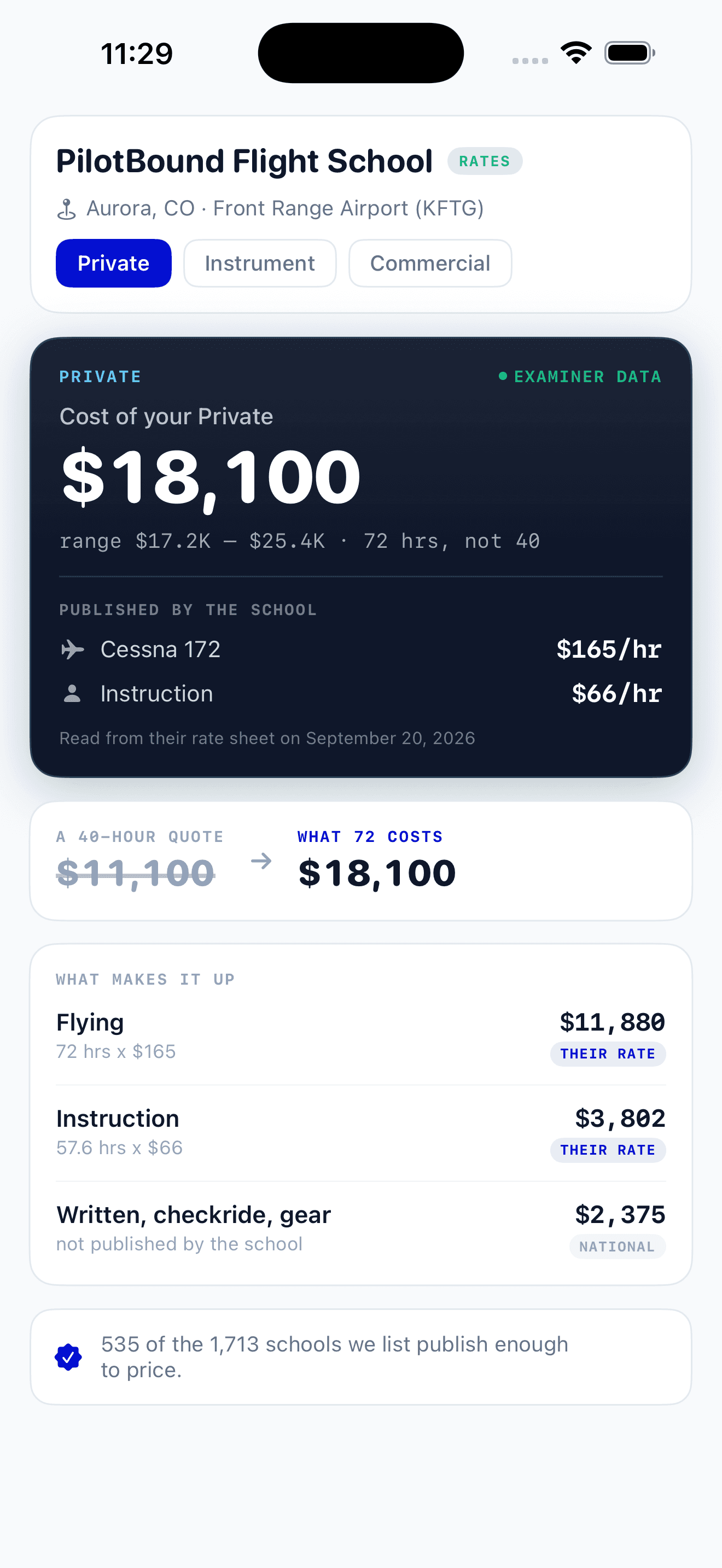
Choose your flight school and PilotBound prices your certificate from the rates it publishes, at the hours students actually fly rather than the 40-hour minimum. Anything the school does not publish is marked, so you know which figures are theirs.
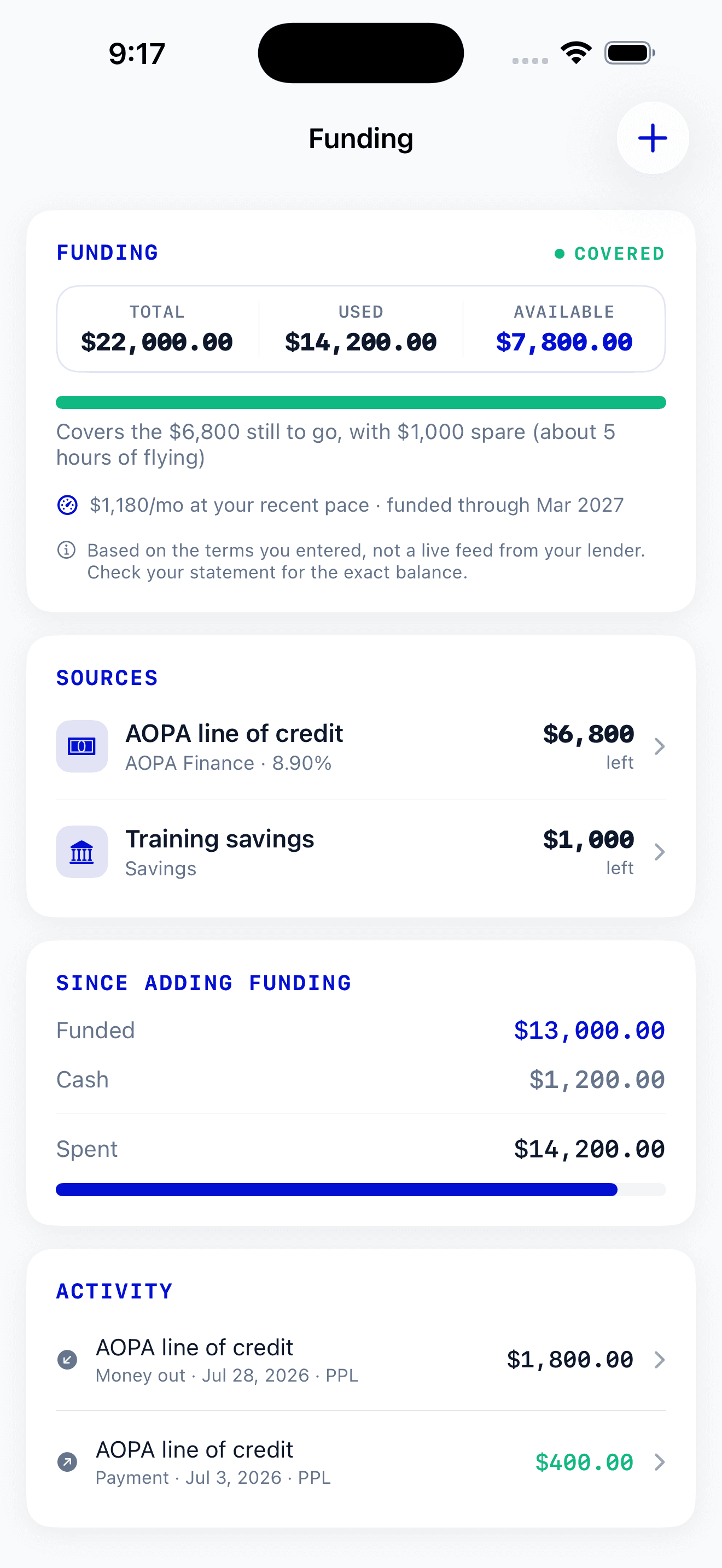
Know the money is there.
Add the loan, savings or scholarship paying for your training and PilotBound sets it against the projection. You see what is still covered, how much is spare, and the month the funding runs out at your current pace.
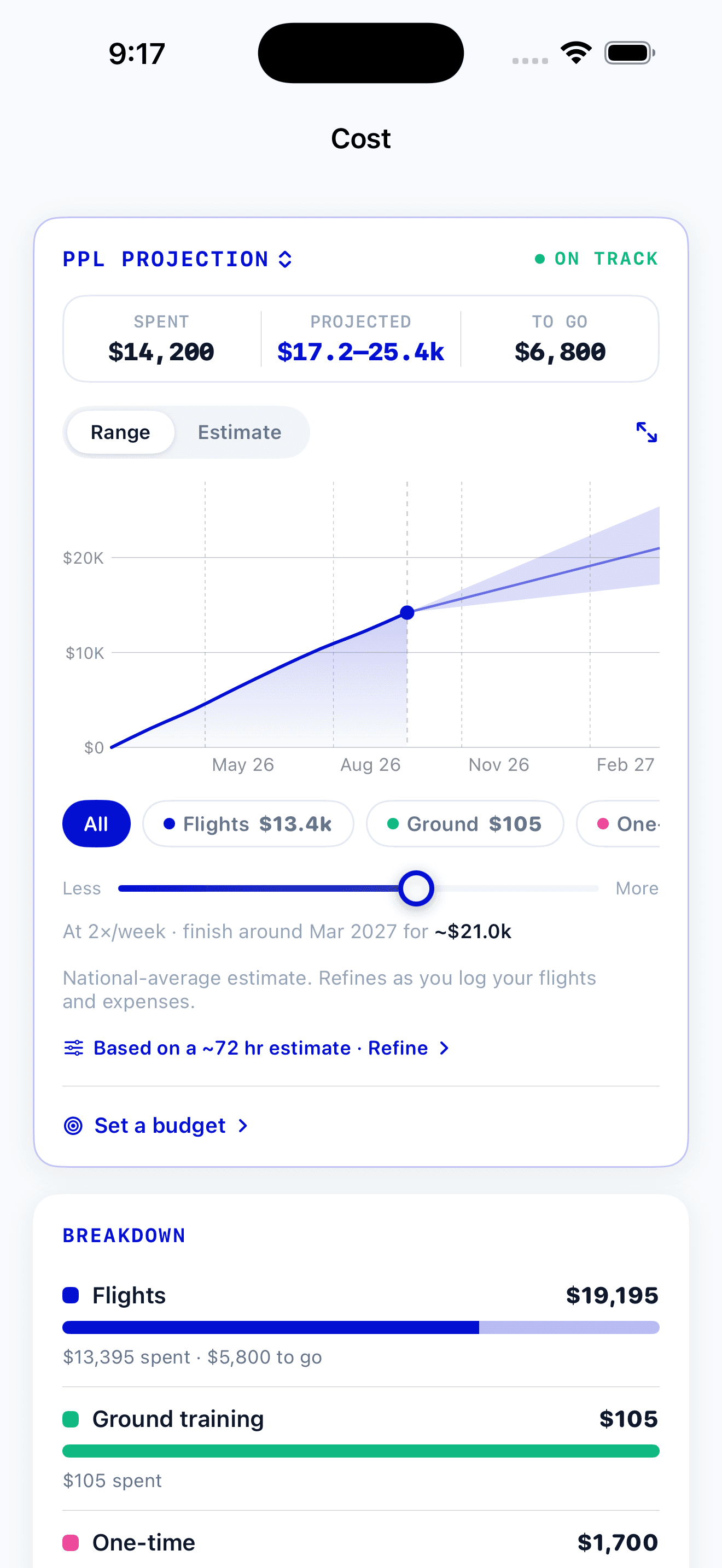
A range, not a made-up number.
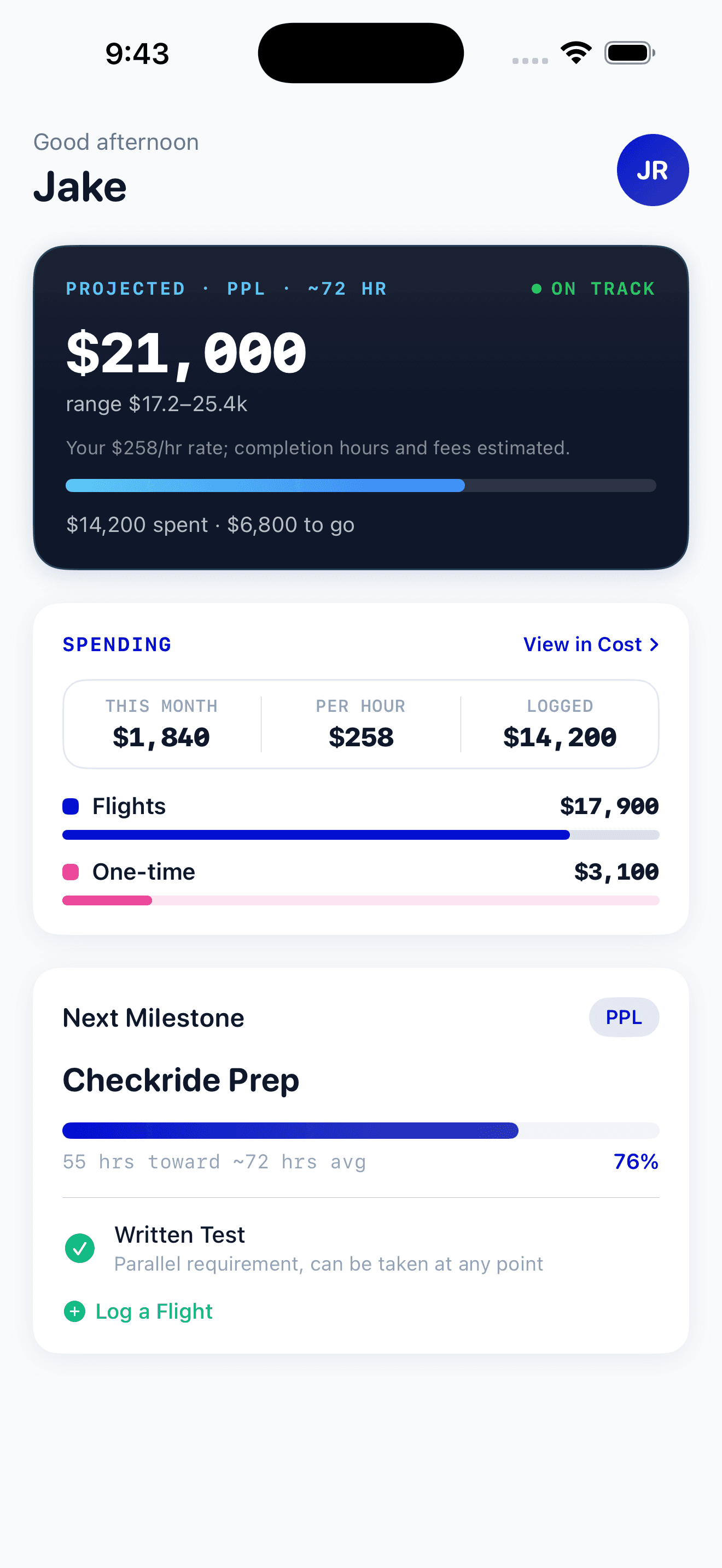
PilotBound projects what your certificate will actually cost and plots your real spend against it. Drag the pace slider and watch your finish date and total move.
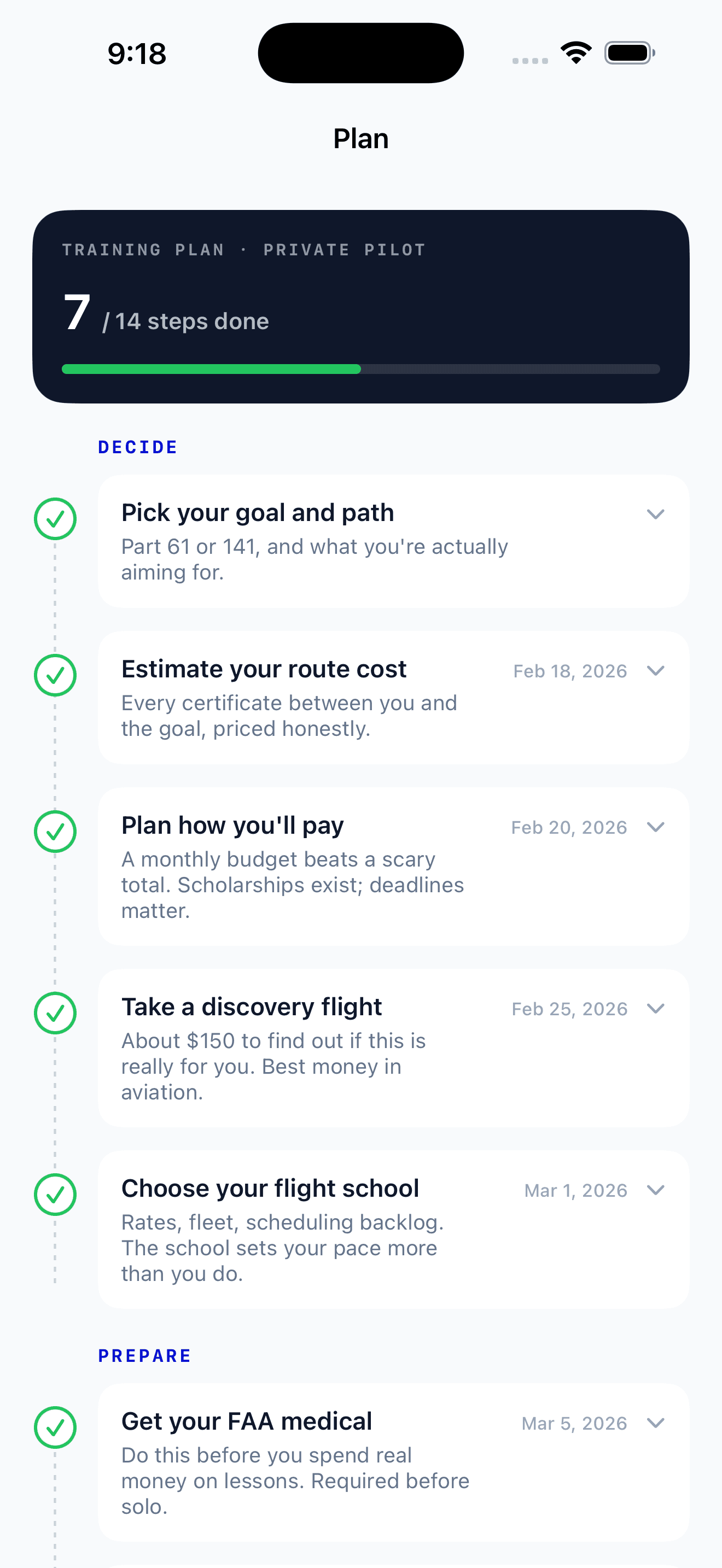
Know exactly what comes next.
Your whole path to the checkride lives in the app, every step in order with the date you finished it. No more guessing what to do after the discovery flight or the first solo.
And the rest of it.
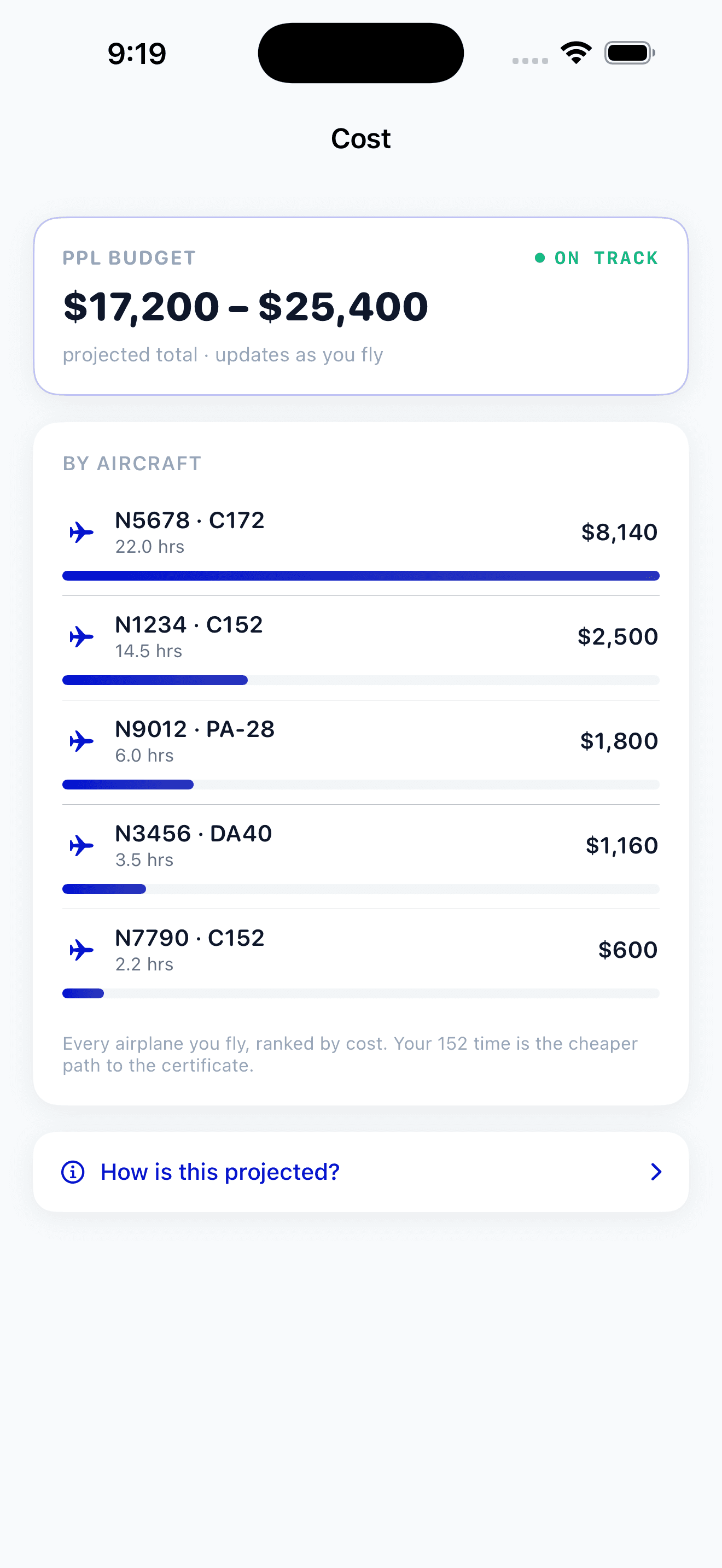
Which airplane costs you most.
Every airplane you fly, ranked by cost, in your own numbers. See where the hours and dollars are really going, so you know when cheaper time is the smarter path to the certificate.
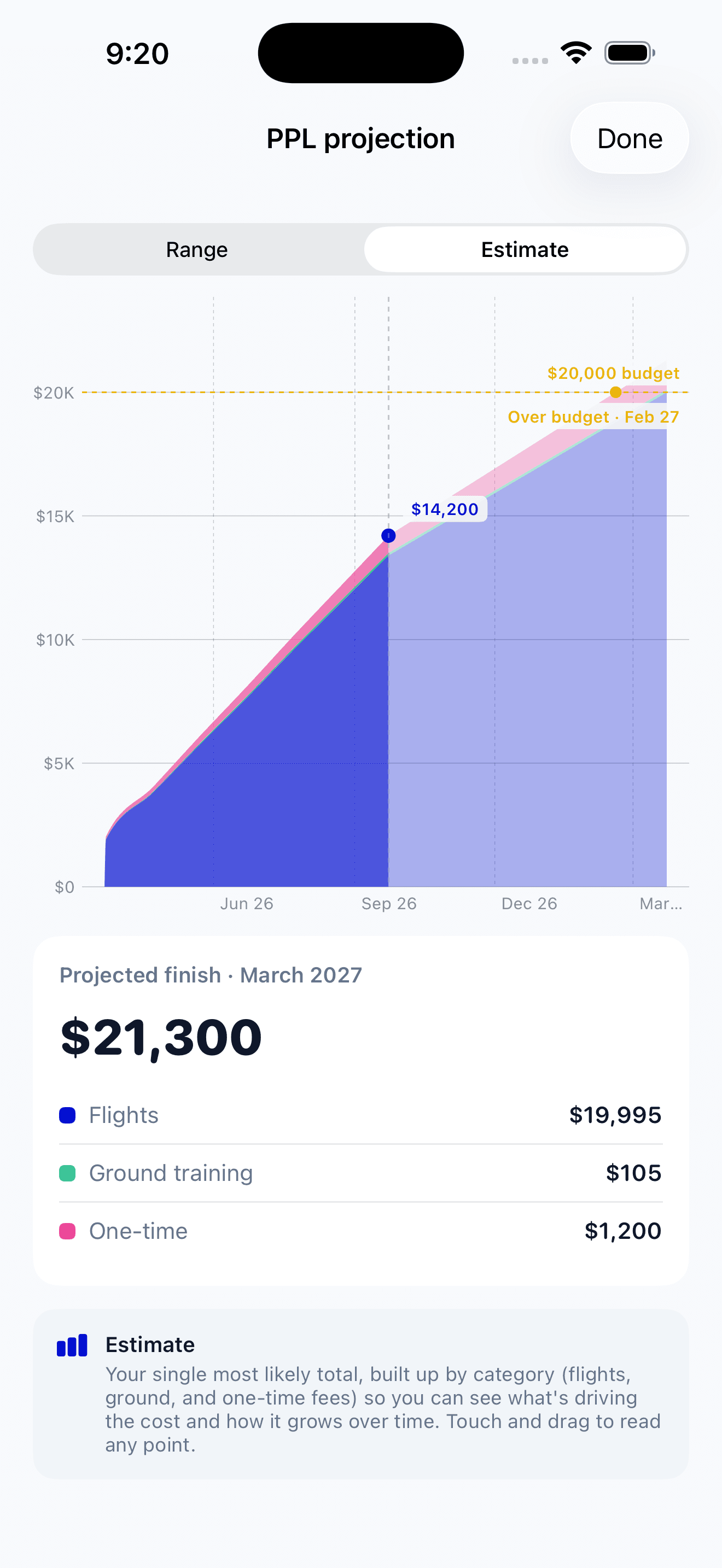
Know before you run out.
Set a budget and PilotBound flags the exact month your projection crosses it, long before you get there. See your single most likely total, built up by category.
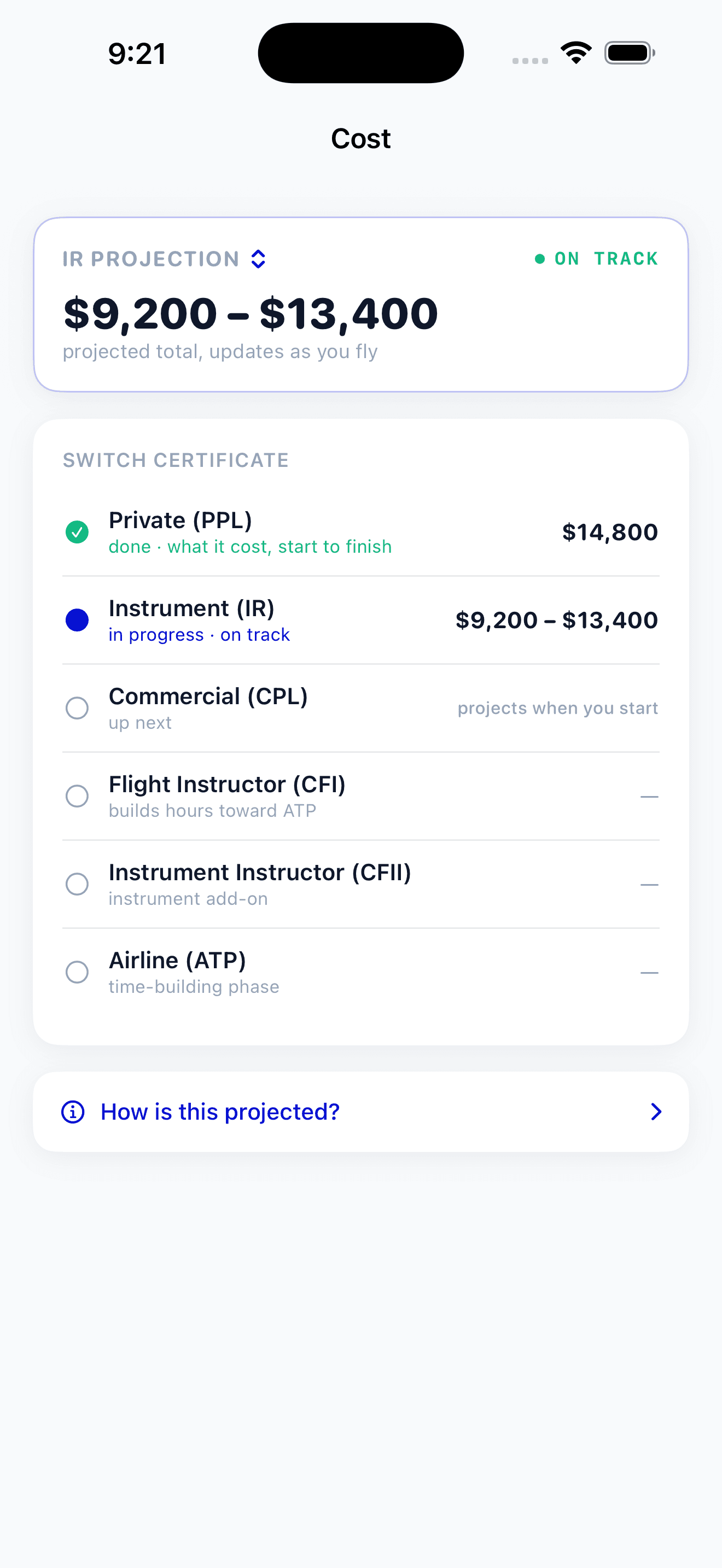
From first lesson to the airlines.
Your training is not one lump sum. PilotBound tracks each certificate as its own journey, PPL to ATP, so you know what your Private cost, what your Instrument is running, and what is still ahead.
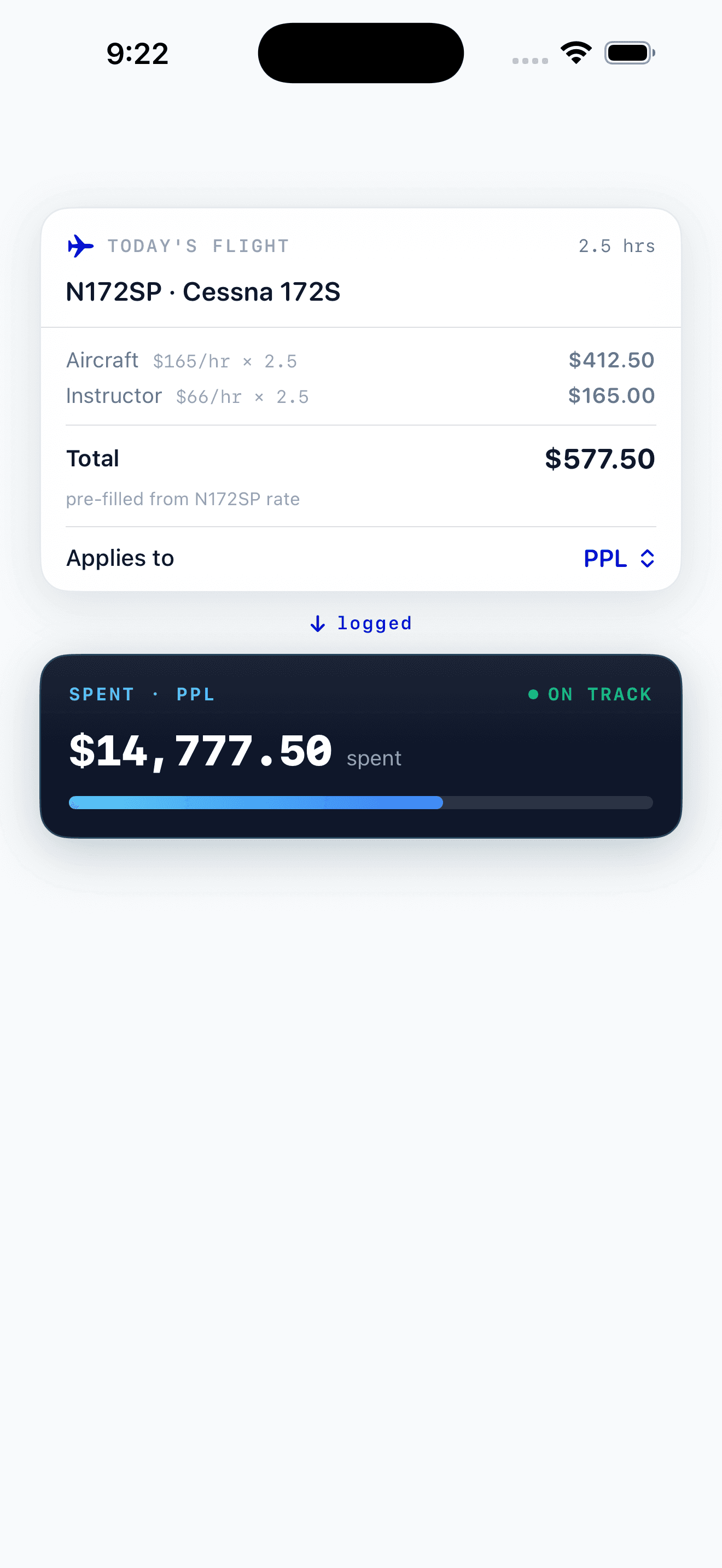
Log a flight, your budget updates.
Log each flight in a few taps, pre-filled from the aircraft rate, and PilotBound updates your spend and projection on the spot. No receipts, no spreadsheet.
Questions student pilots ask before they download.
What is PilotBound?
PilotBound is the flight training app built for student pilots on iPhone and iPad. It projects what your certificate will actually cost and tracks every dollar against that projection, while it follows every FAR 61 hour to your checkride. You can also get a free, no-login estimate of your cost right now with our online estimator. Built by a CFI for student pilots in primary training.
How does PilotBound track what I am spending on training?
Every flight you log carries its cost, pre-filled from your aircraft and instructor rates, and PilotBound totals it against a live projection of your cost to the certificate. You see how much you have spent, how much is left, and where the money went across aircraft rental, instruction, and one-time costs like the written test and checkride fee. The projection gets sharper as you log real flights, so the number becomes yours instead of an average.
Can it track multiple aircraft and multiple certificates?
Yes. Each aircraft you fly keeps its own hourly rate, so a Cessna 152 and a Cirrus are costed correctly. Each certificate from Private through ATP is tracked as its own journey with its own cost, so you can see exactly what your Private cost and what your Instrument is running, without lumping it all into one lifetime total.
Does it track my FAA requirements and milestones too?
Yes. Every flight ladders into the real FAR 61 or Part 141 requirements for the certificate you are working toward, including total time, PIC, solo, cross-country, night, instrument, approaches, and landings. It supports the full ladder from Private Pilot to Instrument, Commercial, CFI, CFII, and ATP, and milestones like first solo and first cross-country are flagged automatically as you log flights.
Is my cost and training data private?
Yes. PilotBound is a personal planning and tracking tool, not a social network, so your cost and training data are private to you. Nothing you log, your spending, your hours, or your progress, is shown to anyone else or published anywhere.
How is it different from ForeFlight Logbook or LogTen Pro?
They solve different problems. ForeFlight Logbook and LogTen Pro are powerful logbooks for working pilots who already know how to log time. PilotBound is built for student pilots, and it projects your cost to the certificate and tracks every dollar against it, which a logbook does not. Logging your flights is just how PilotBound learns your numbers, not the product itself.
Does it cost anything?
No. PilotBound is free for student pilots on iPhone and iPad, with no subscription to log flights, track your cost to the certificate, or follow your Part 61 progress. The training plan works in your browser with no login, and a free account keeps it synced to your other devices and the app.
Can flight schools and CFIs use it?
PilotBound is built for individual student pilots, and that is who it serves today. There is no flight school dashboard, no CFI account, and no feature that links an instructor to a student's data. A CFI can of course use it the same way a student would, to see exactly how training costs add up.
Your next flight starts here.
Track every dollar and hour against your plan, first lesson to checkride.
Scan to download on your iPhone